![New logo-1.svg]](https://help.yordex.com/hubfs/New%20logo-1.svg)
We recommend you make payouts by CSV because that creates payees and payouts at the same time. The process for creating payouts by CSV is described [here]
Creating payouts manually is a two-step process:
-
Create a new payee if required [here]
-
Make a payout (this article)
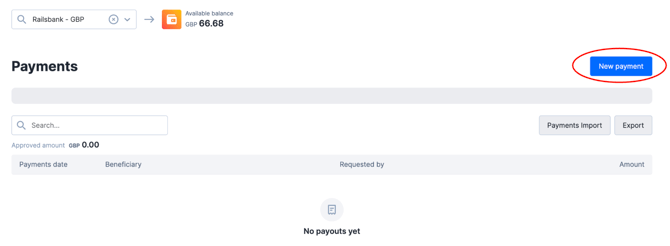
To create a payout, first go to the Payments page [here] and click on "New payment", see below.
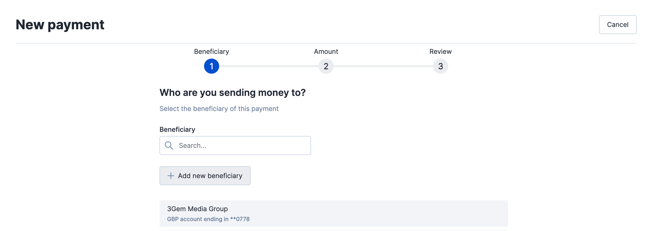
The first step is to select the payee from the list (also known as "Beneficiary")
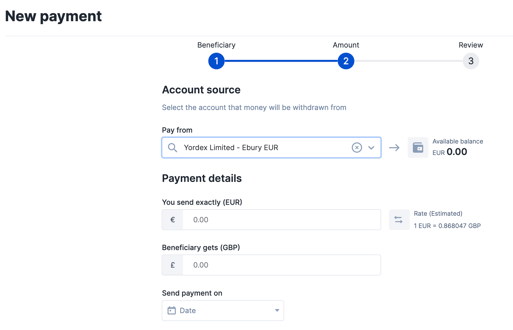
The second step is to choose the amount and payment date. You can complete either the "You send exactly" or the "Beneficiary gets" fields depending on whether you want to fix the amount you pay or the amount the payee gets.
The third page provides a payment summary and also asks you to confirm the payment reason and payment reference which will appear on the payees bank statement.
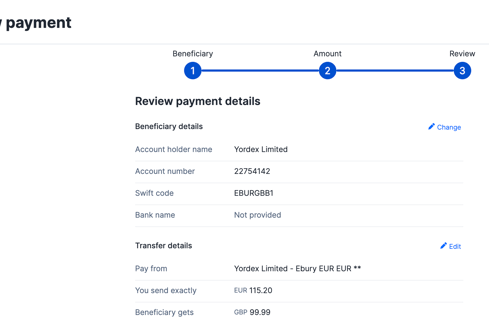
After you click "Create Payment", the payout may need further approval, see [here]