![New logo-1.svg]](https://help.yordex.com/hubfs/New%20logo-1.svg)
How to add users in bulk
Admin users can add multiple users to Yordex by following these steps:
- In the Yordex interface, go to ["Settings" > "User Management"]
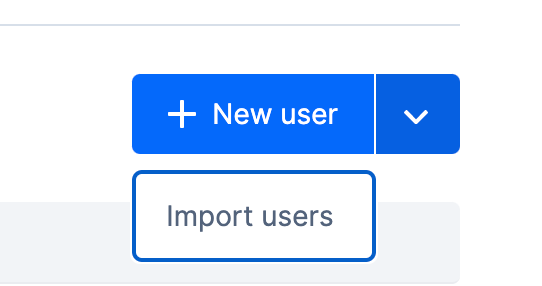
- Click on the arrow next to ["New user"] to get the option to ["Import Users"]
- Select ["Download a CSV sample file"] to download the template.
- Fill out the template with the users information or drop and drag an already filled in template.
- Do not remove any column headers in this step - non-relevant fields can be left blank
- Finally, upload the filled out CSV file and select ["Import New Users"] at the last step.
- The new users will then be created and a confirmation email will be sent to you when done.
CSV file fields - explained
| Field name | Details |
| firstName |
- Values accepted: Alphabetical |
| lastName | - Values accepted: Alphabetical - Mandatory |
| gender | - Values accepted: M/F - Mandatory |
|
- Values accepted: Valid email address formats |
|
| mobileNumber | - Values accepted: Numerical - Mandatory |
| mobileNumberCountryCode | - Values accepted: Numerical (2-4 characters) - Mandatory |
| phoneCountryCode | - Values accepted: Alphabetical (2 characters) - Mandatory |
| customerUserId | - Custom user identifier - Non-mandatory |
| managerUserId | - Line manager of the user - A valid user on the account - Non-mandatory |
| approvalLimitCurrency | - Currency of approval limit - Currency code - Non-mandatory |
| approvalLimitAmount | - Limit to which the user can approve others expenses/POs - Values accepted: Numerical - Non-mandatory |
| expenseReimbursementCurrency | - Preferred reimbursement currency - Currency code - Non-mandatory |
| receiptMandatoryThreshHoldInCents | - Threshold for receipt submission - Values accepted: Numerical - Non-mandatory |
| termsOfServiceAccepted | - Has the user already accepted our US cardholder terms of service? - TRUE/FALSE - Mandatory for USD card ordering |